 |
Trigger & Relay Plugin 1.0.0
Easy signal setups done right
|
|
Trigger & Relay Plugin 1.0.0
Easy signal setups done right
|
The examples can be opened by going to the Content Browser Settings (1) and enabling Show Plugin Content. A Plugins section will appear on the left (3). Open Plugins/FreetimeStudio Triggers & Relays Content/Example/ExampleMap (4). 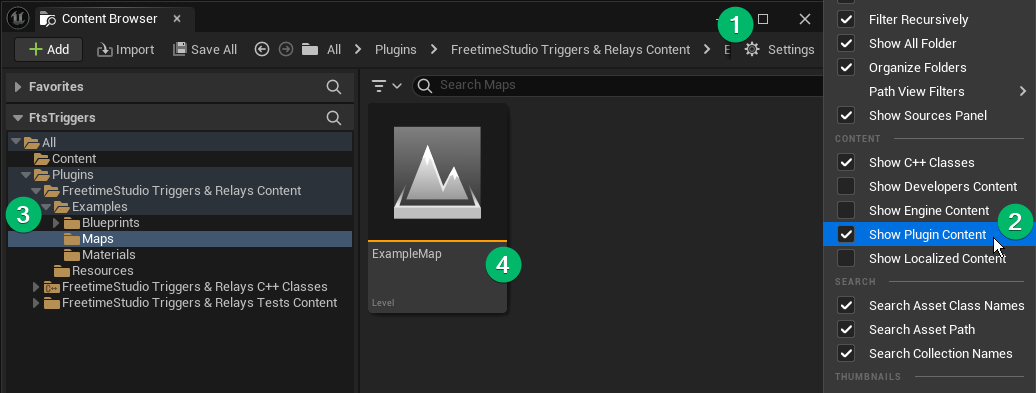
The controls are WASD + Mouse to move and look around. Right-clicking will toggle the cursor to interact with buttons. _All Triggers and Relays have "Hidden In Game" turned off to be visible
A showcase of all the different relay blocks of the plugin with an example implementation. 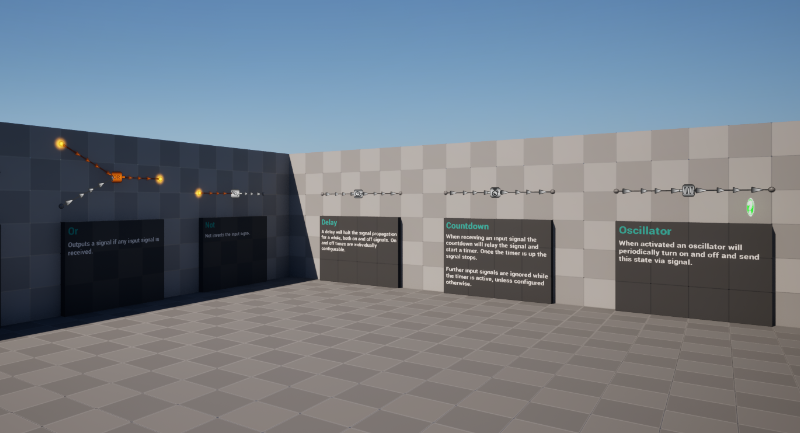
Each trigger is connected to a countdown. Both triggers need to be activated before either countdown runs out to open the door.
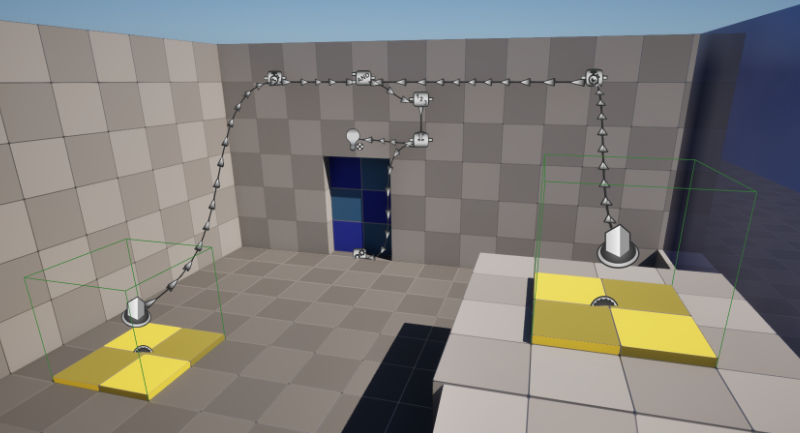
Each trigger sends a True signal when the player steps into the volume. This starts a Countdown Relay which holds the True signal until it runs out.
Both countdowns are connected to an And Relay. If both are active at the same time the And will emit a signal and increment the Counter Relay by one.
The Counter is configured to have a max value of 1 and to stop counting once this value has been reached. Any time it counts up it sends a signal containing the value to the Equals Relay which checks whether the number is 1.
If it is one it is set to True and the lamp and door connected to it light up and open.
A counter increments every two seconds and wraps around. Each door is connected to a different value. 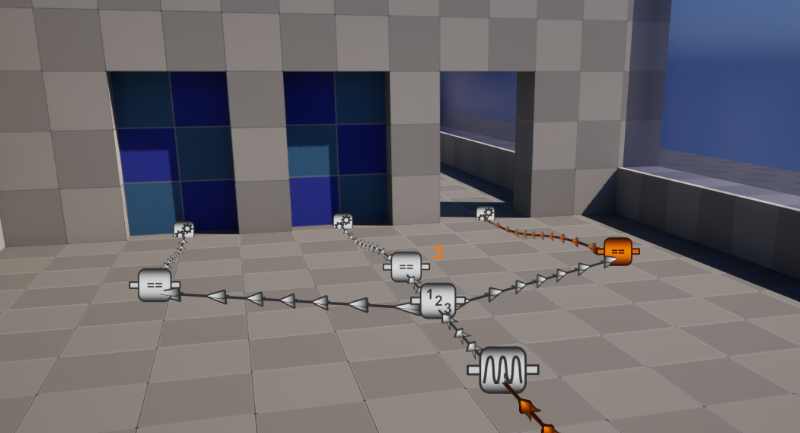
The unconnected Not acts as an "Always True" signal which activates the Oscillator. Every two seconds it sends a signal to the Counter which increments its value by one and sends it out to the connected Equals. The Counter is set to wrap around to 0 when going above 3.
Each Equal is configured to one value between 1 and 3 and sends a True signal to the connected door if the Counter currently holds that value.
The platforms are controlled by delays connected in series. 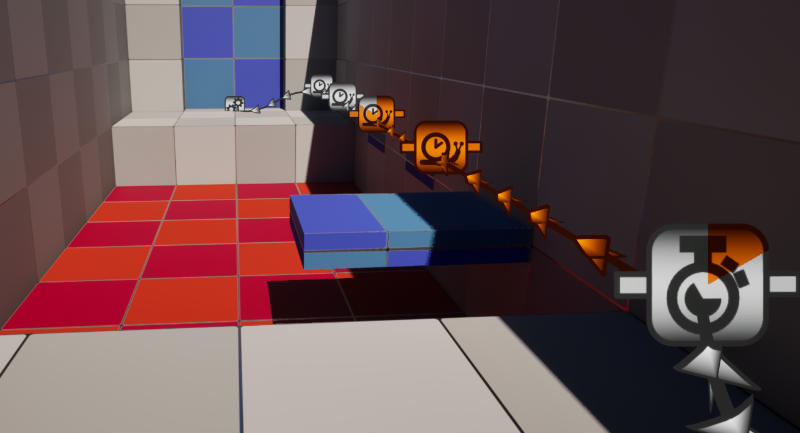
When the trigger activates it starts a Countdown. The countdown signal is passed to the first Delay. As long as the Delay is on the connected platform will extend.
By connecting the following Delay into the previous the signal slowly propagates and each platform (and finally the door) open one after the other.
This setup switches between the left and right side when the triggers are activated. 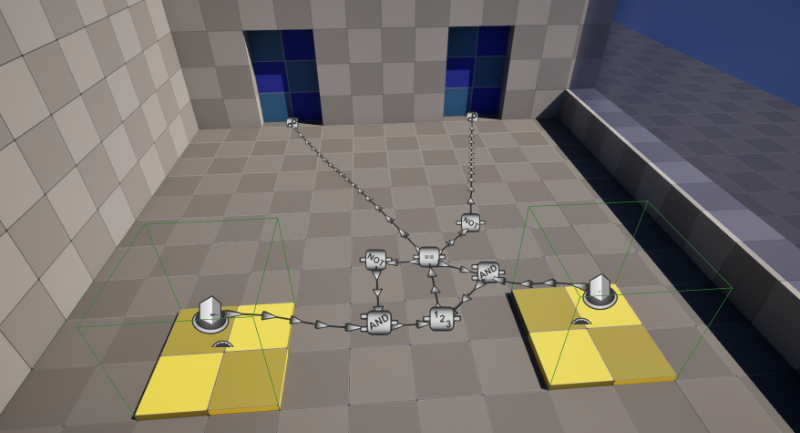
Both triggers try to send a signal to the counter, however the respective And are connected to two different results of the Equal. When the counter is 0 the And on the left can activate thanks to the Not. If the counter is 1 the And on the right can activate. Only the trigger signal with an activatable And goes through to the counter.
The counter itself is configured to wrap around with an upper boundary of 1. Each signal makes it increment by 1, so in combination with the Equals it effectively turns into a bit flip.
The keys and keypad are custom relays that use Blueprint Struct signal payloads. 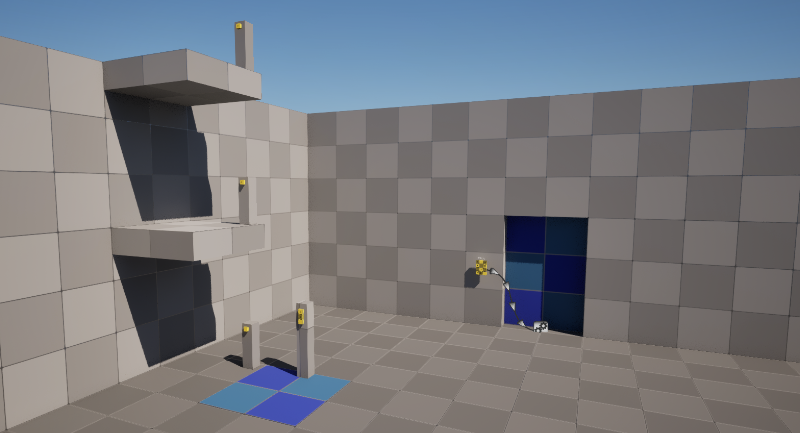
Each key is an actor that implements the Trigger Owner Interface and has a Trigger Signal Component to send a custom "FKeypadSignal" signal when clicked. The signal's payload is a string. Each key sends the displayed character.
The elevator takes the received signal, converts it to an integer and goes to the platform stored at that index.
The code pad is a custom relay that listens to all its child keys. Each key press is appended to the internal string and displayed. When the > character is received the pad checks the input string against the pre-configured code. If it is correct the relay state is set to True, otherwise it's set to False. If the x character is received, the code gets cleared.
 1.15.0